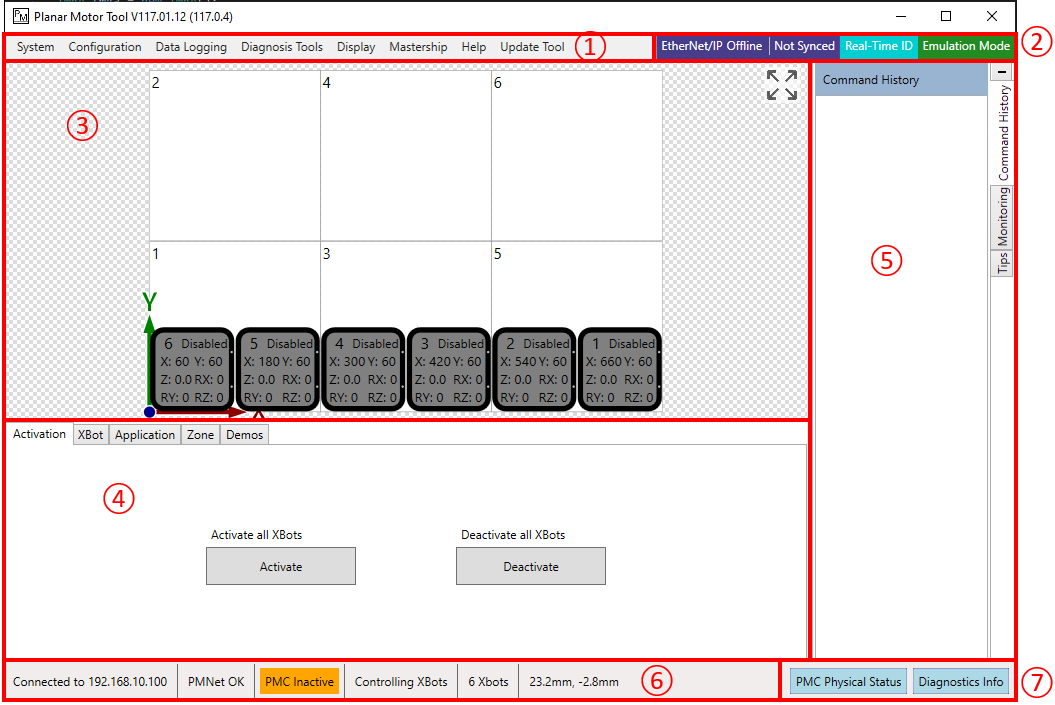
① Application Menu Bar: system-wide control and configuration
② System Mode Indicator: operating mode of the system
③ Monitoring Window: shows the motion and position of the XBots on the Flyways
④ Command Training: specify command parameters and send commands
⑤ Command History / Monitoring / Tips : a history of all command send by Planar Motor Tool/Monitoring virtual XBots' location/Contextual documentation
⑥ Status: show system operation status
⑦ Diagnostic: provides system-wide diagnostics information