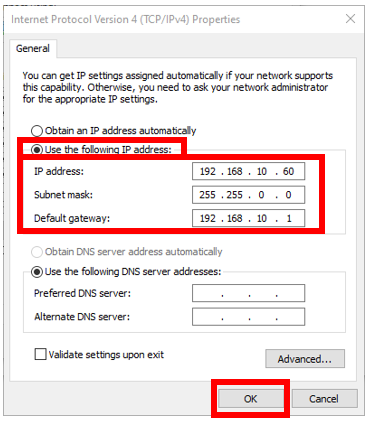
The host PC needs to have its Ethernet port configured to use static IP address in the format of 192.168.10.* in order to communicate with the Planar Motor Controller. Please follow the steps below for the static IP configuration.
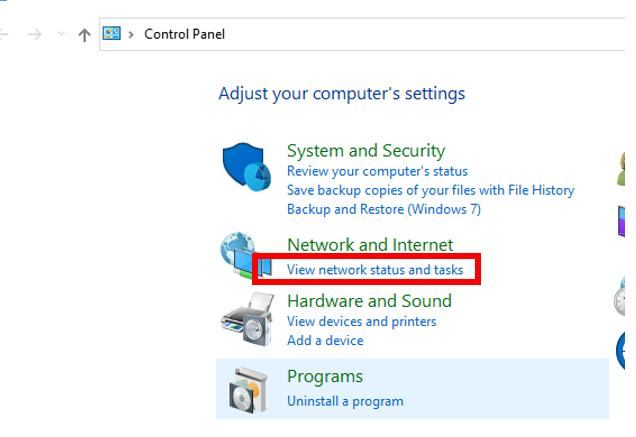
Step 1: Navigate to: Control Panel --> View network status and tasks
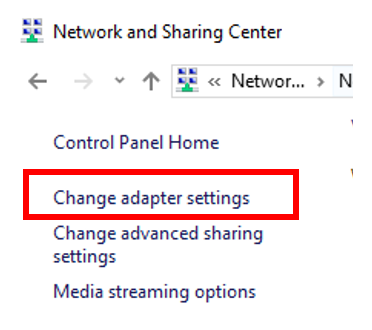
Step 2: Click on: Change adapter settings
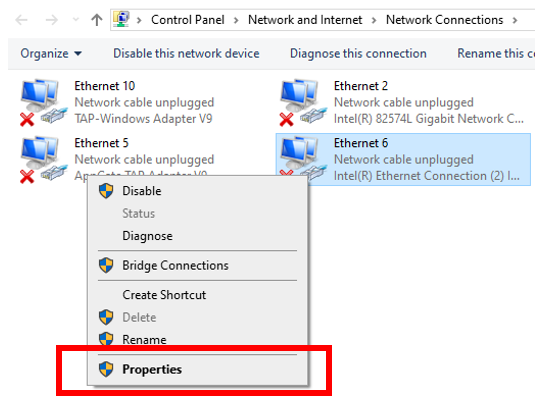
Step 3: Right click on the network adapter that will be used to connect to the PMC, and choose Properties
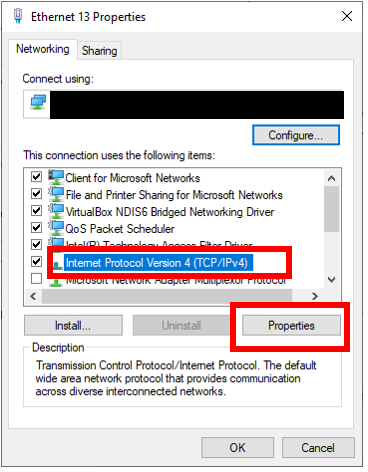
Step 4: Click on “Internet Protocol Version 4 (TCP/IPv4)”, then click on properties
Step 5: Click on “Use the following IP address”, and enter the following values:
-
IP address: 192.168.10.60
-
Subnet mask: 255.255.0.0
-
Default gateway: 192.168.10.1
Click on “OK” when done