
Description
A planet motion command is a special type of connected Group, where a particular XBot is the Star or Sun XBot, and the other XBots (planets) move relative to the Star XBot. The planet XBot’s coordinate system’s origin is the Star XBot’s current position.
An example of a system with 2 M3-06 XBots (120mm x 120mm) is provided below:
Moving the Planet XBot will change the relative position between the Planet and Star XBot.
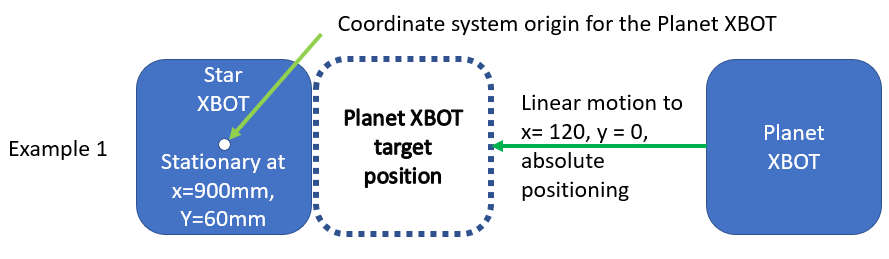
Note: The feedback position of the Planet XBot does NOT use the Star XBot’s position as the origin. It uses the system origin like any other XBot.
Moving the Star XBot will cause the Planet XBot to follow the Star.
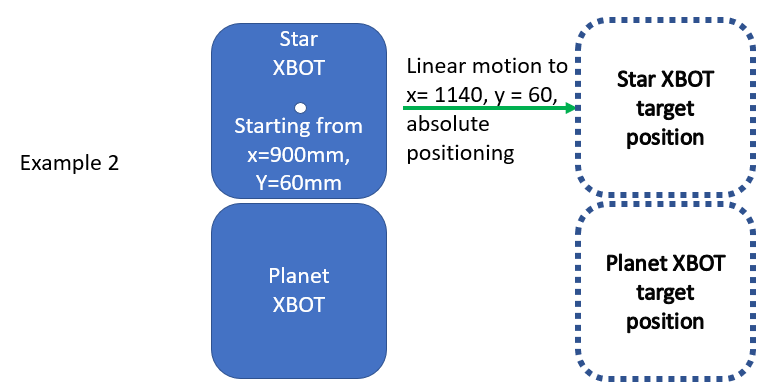
It is possible to move both Planet XBot and Star XBot simultaneously.
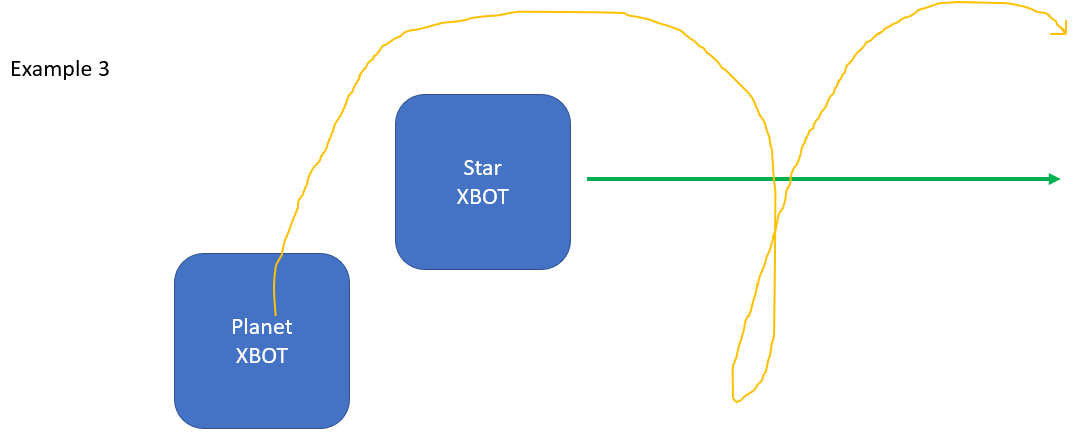
In this example, the Planet XBot is in a circular motion around the Star XBot while the Star XBot is moving in a straight line. The result is the Planet XBot will follow a spiral path so that it is revolving in a perfect circle around the Star XBot even during Star XBot motion.
It is possible for all real XBots to be planet XBots, and revolve around a virtual Star XBot of size 0,0.
Virtual XBot ID starts from 100, and end at 127. It can be moved just like a normal XBot.
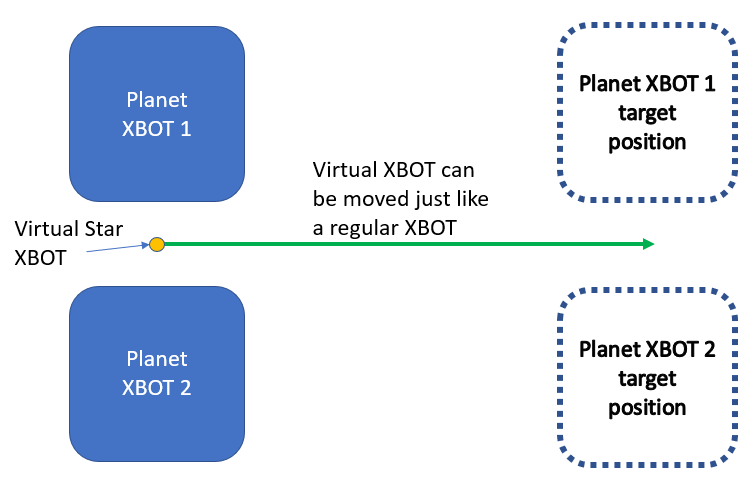
Performance Limits for Star-Planet Movers
There are kinematic limitations placed on both the Star XBot and the Planet XBots so that the combined motion does not exceed the system limits.
|
|
Star XBot |
Planet XBot |
|---|---|---|
|
Speed |
0.5 x System Speed Limit |
0.5 x System Speed Limit |
|
Acceleration |
factor (fs) x Acceleration Limit (As)
|
factor (fp) x Acceleration Limit (Ap)
|
|
Jerk |
0.5 x System Jerk Limit |
0.5 x System Jerk Limit |
Note that the System Jerk Limit can be changed using Set Jerk Limit.